1. The network must match
If Aurum shows BNB Smart Chain (BEP20), use the same network in Alchemy Pay.
Step by step USDC deposit
This page explains, step by step, how to buy USDC through ramp.alchemypay.org and send it to your Aurum account. The logic is simple: first you copy the correct deposit address from Aurum, then you complete the purchase in Alchemy Pay using the same network. Humanity really did turn finance into copy, paste and don't touch the wrong chain.
Crypto transfers punish carelessness with almost artistic efficiency, so do not skip these.
If Aurum shows BNB Smart Chain (BEP20), use the same network in Alchemy Pay.
Paste only the official wallet address shown inside your Aurum panel.
The screenshots are examples. Real rates, fees and net crypto received may change at checkout.
Card or bank transfer options may differ depending on your country, region and account.
Get the USDC deposit address from Aurum on the BEP20 network.
Open the EUR → USDC flow in Alchemy Pay.
Paste the Aurum wallet address into the destination field.
Choose the payment method, confirm the order and wait for the balance to arrive.
The screenshots follow your numbered order. Each step explains exactly what needs to be done.
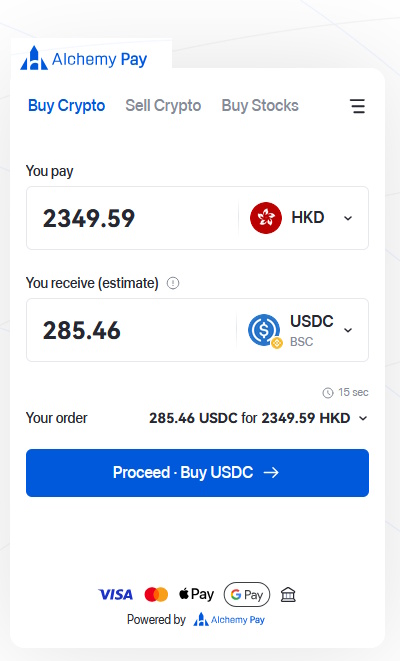
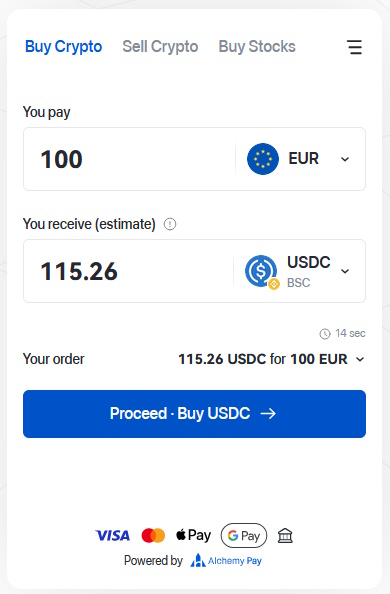
On the first screen you can see the fiat amount and the crypto you will receive. This is where the USDC purchase flow begins.
The amount and currency in the screenshot are only examples.
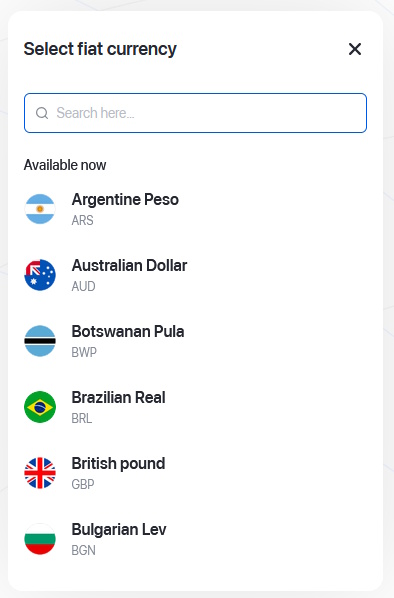
Use the search box and choose the fiat currency you want to pay with. In this guide, the example currency is EUR.
You can choose another supported currency if that fits your payment account better.
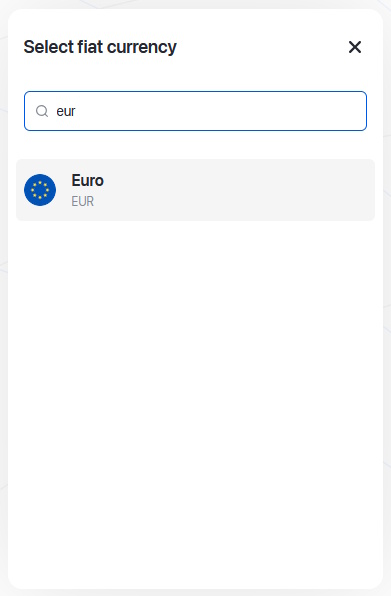
When Euro (EUR) appears in the list, select it so the order is calculated in euros.
Choosing the same currency as your funding source usually makes the process easier.
In the crypto list, choose USDC. This guide is built around a USDC deposit flow.
Whatever asset is selected in Aurum should also be selected here.
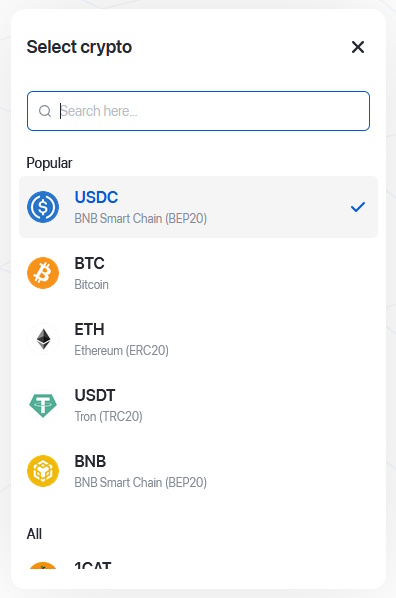
Enter the amount you want to pay. The system will estimate how much USDC you will receive. Then click Proceed.
The final amount may vary slightly depending on the live rate and fees.
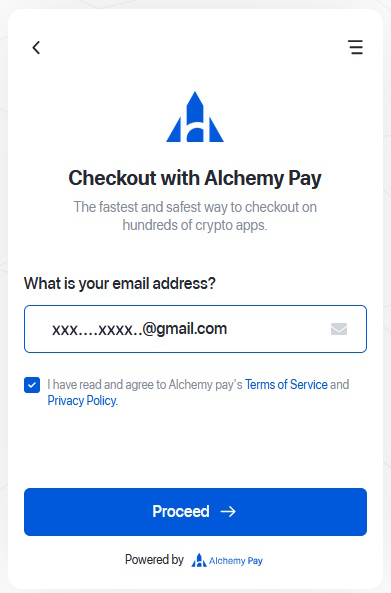
On the checkout screen, enter a valid email address, accept the terms and continue.
You need this email to receive the verification code.
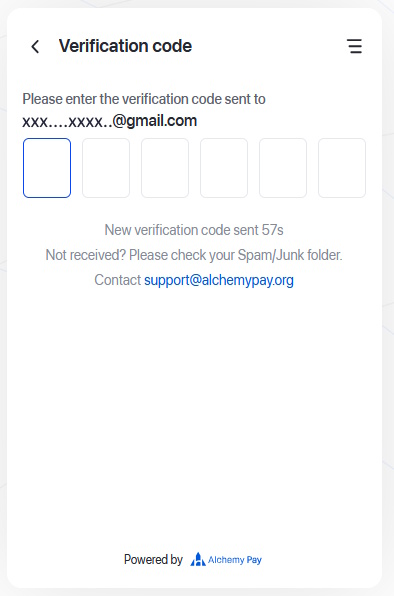
Check your inbox and type the verification code into the boxes shown on screen.
If the email does not arrive immediately, check the spam folder too.
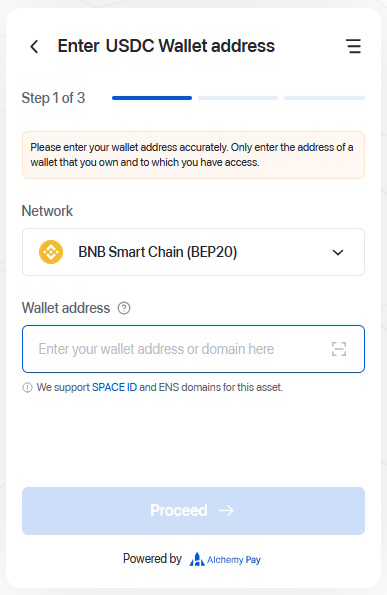
At this stage the system asks where the USDC should be sent. You will copy that address from Aurum in the next steps.
Make sure the network shown here is BNB Smart Chain (BEP20).
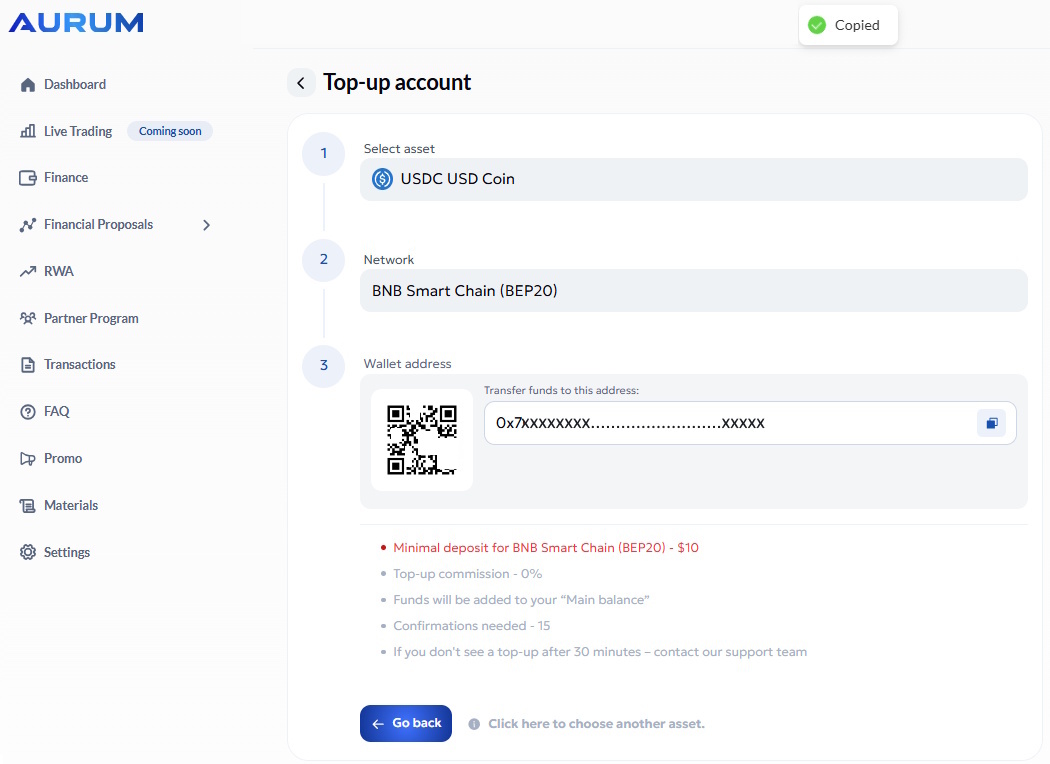
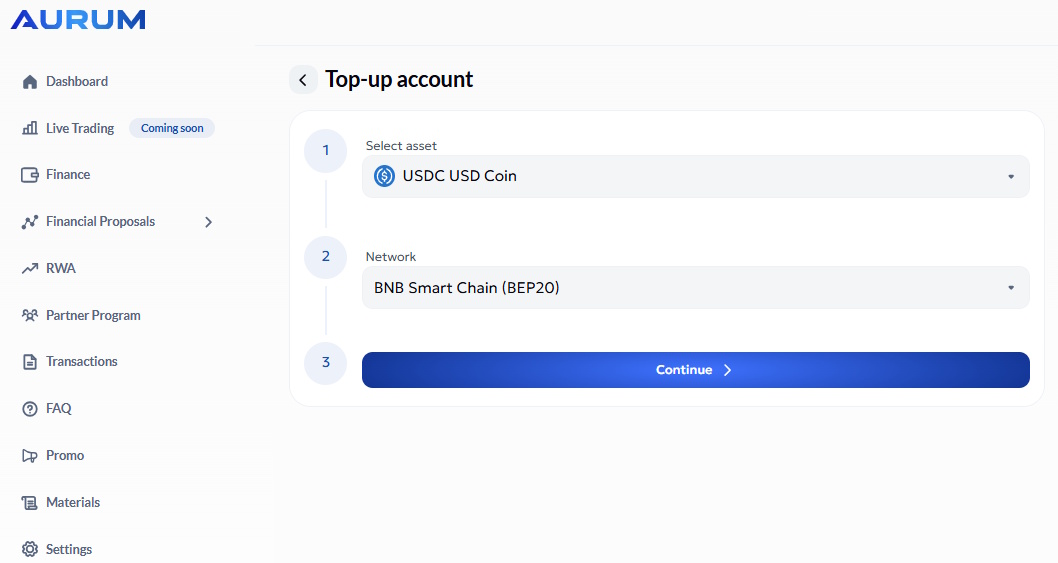
Inside Aurum, go to Finance > Top-up account. Select USDC USD Coin as the asset and BNB Smart Chain (BEP20) as the network.
Those two selections must match the Alchemy Pay side exactly.
After choosing the asset and network, Aurum shows you the deposit address and QR code. Use the copy icon to copy the address.
Always check the beginning and the end of the address before using it.
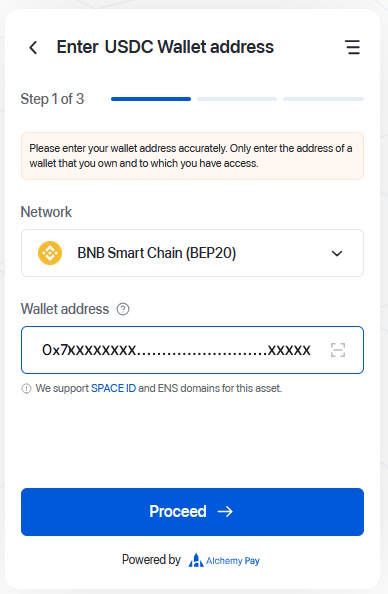
Go back to Alchemy Pay and paste the copied Aurum address into the Wallet address field. Then continue with Proceed.
Using the wrong address or the wrong network can cause an irreversible loss of funds.
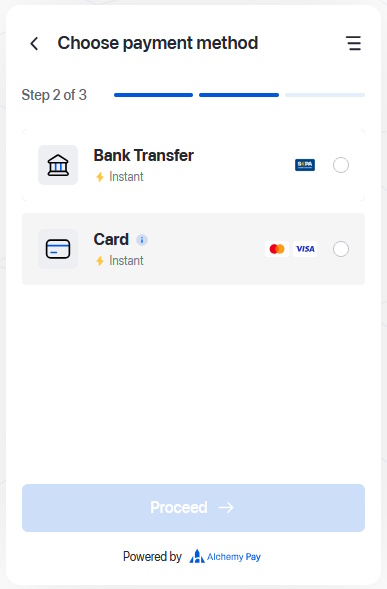
Choose one of the payment methods shown by the system. In the screenshots you can see Bank Transfer and Card.
The exact options may vary by region and account.
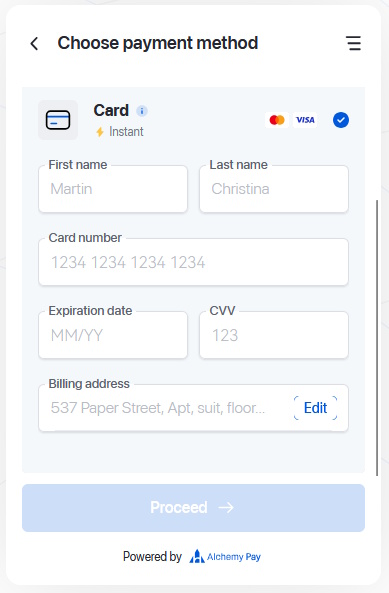
If you chose card payment, fill in the required details such as name, card number, expiry date, CVV and billing information.
For a card user, the payment flow is effectively completed at this stage.
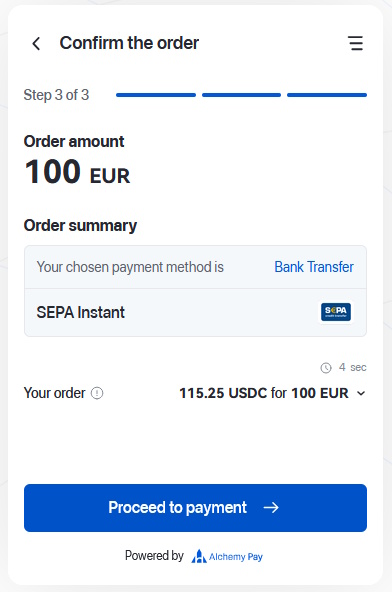
This screen is for users who prefer Bank Transfer / SEPA. Review the order summary and continue from here if you selected the bank option.
If everything looks correct, click Proceed to payment and continue with the bank transfer flow.
This guide uses USDC as the example flow. The asset selected in Aurum should match the asset selected in Alchemy Pay.
This guide shows BNB Smart Chain (BEP20). The network must match on both sides.
Crypto transfers may not be reversible. Always recheck the wallet address and the network before you confirm.
No. Available methods can differ by country, region, account and current availability.
In many cases it arrives quickly after payment, but blockchain confirmations and provider checks may still cause delays.